Email continues to be a critical communication channel for organizations of all sizes. Every day, employees exchange numerous emails with clients, partners, and prospects. Despite this constant interaction, many businesses overlook the strategic value of email signatures as a consistent branding and communication tool.
When signatures are managed individually, they often become inconsistent in design, incomplete in information, and underutilized as a marketing asset. This not only weakens brand identity but can also introduce compliance risks.
A centralized solution like Sigsync addresses these challenges effectively. With Sigsync Office 365 Email Signature, organizations can automatically standardize and manage signatures across all users, ensuring uniformity, professionalism, and full administrative control.
In this article, we’ll explore what centralized email signature management is, why it is essential for modern businesses, and how Sigsync helps streamline the process while transforming every email into a valuable branding and marketing opportunity.
What Is Centralized Email Signature Management?
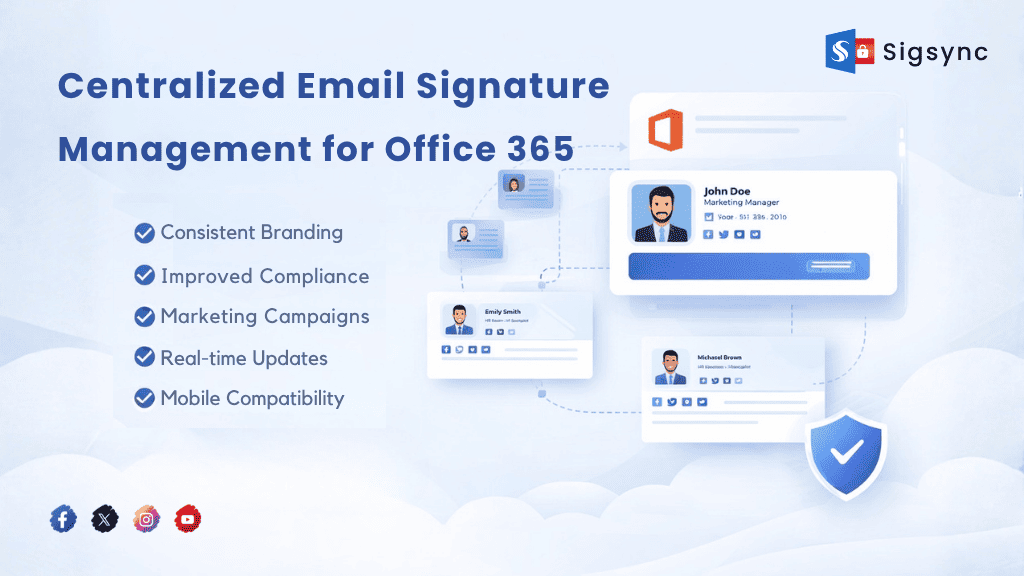
Centralized Email Signature Management is a method of controlling and managing email signatures for all users in an organization from a single platform.
Instead of employees setting up signatures individually in Outlook or other email clients, IT or administrators can:
- Create standardized signature templates
- Apply them automatically to all users
- Update signatures company-wide in real time
- Ensure consistent branding and compliance
This approach is especially useful for organizations using Microsoft 365 (Office 365), where managing hundreds or thousands of users manually is not practical.
Why Traditional Email Signatures Fall Short
Most businesses still rely on manual signature setups. This creates several challenges:
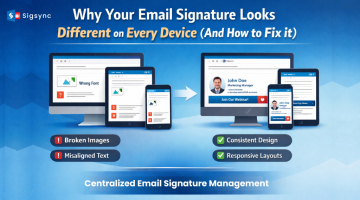
- Inconsistent Branding: Different fonts, colors, logos, and layouts across employees make your brand look unprofessional.
- Lack of Control: IT teams cannot enforce or update signatures centrally.
- Compliance Risks: Missing disclaimers or incorrect information can lead to legal issues.
- No Marketing Opportunity: Without central control, you miss the chance to use signatures for campaigns, banners, or promotions.
Benefits of Centralized Email Signature Management
- Brand Consistency Across the Organization: Every email sent reflects the same professional design, logo, and messaging.
- Easy Management for IT Teams: Make updates once and apply them to all users instantly.
- Built-in Marketing Channel: Promote events, offers, or announcements using signature banners across all outgoing emails.
- Improved Compliance: Automatically include legal disclaimers and required information in every email.
- Cross-Device Compatibility: Ensure signatures display correctly across Outlook, mobile devices, and web clients.
How Centralized Email Signatures Work in Office 365
In Microsoft 365, centralized signature management is typically handled using a server-side solution.
Here’s how it works:
- Admin creates signature templates
- User details are pulled from Azure Active Directory
- Signatures are automatically applied to outgoing emails
- Updates are pushed in real time without user intervention
This means users don’t need to manually configure anything, and IT retains full control.
Why Choose Sigsync Email Signature Solution for Office 365?
When it comes to centralized email signature management, not all solutions offer the same level of control, flexibility, and ease of use. Businesses need more than just basic signature deployment. They need a solution that supports branding, marketing, and compliance without adding complexity.
Sigsync is built specifically for Microsoft 365 and Exchange environments, offering a powerful cloud-based platform that simplifies signature management while giving complete control to IT and marketing teams.
Key Features of Sigsync
- Centralized signature management
Automatically applies signatures to all emails without requiring any setup on user devices. This ensures complete consistency across the organization. - Centralized dashboard
Manage all users, templates, and rules from a single interface. IT admins can make changes in minutes without relying on end users. - Dynamic signature templates
Create personalized signatures using Office 365 Azure Active Directory fields such as name, designation, department, contact details etc. Every employee gets a consistent yet personalized signature. - Campaign banners
Turn every email into a marketing opportunity. Promote events, product launches, offers, or announcements using clickable banners. - Real-time updates
Need to update a phone number, banner, or disclaimer? Changes are applied instantly across all users. - Mobile compatibility
Signatures are applied seamlessly across Outlook, Outlook Web App, and mobile devices, ensuring a consistent experience everywhere. - No email flow disruption
Sigsync integrates smoothly with Microsoft 365 without impacting email delivery or performance.
With Sigsync, businesses can transform email signatures from a basic contact block into a powerful branding and marketing tool.
What Makes Sigsync Stand Out?
Beyond features, Sigsync focuses on solving real business challenges:
- Eliminates manual signature errors across teams
- Reduces IT workload and support requests
- Ensures compliance with company policies and legal requirements
- Helps marketing teams utilize email as a consistent branding channel
It bridges the gap between IT control and marketing needs, making email signatures a strategic business asset rather than just a formality.
Turn Every Email into a Branding Opportunity
Every employee sends dozens of emails daily. Without a centralized system, these emails are missed opportunities.
With Sigsync, organizations can:
- Maintain a professional brand image in every email
- Run targeted campaigns without additional tools
- Ensure consistent communication across departments
Instead of treating email signatures as a static element, Sigsync helps businesses use them as a dynamic and impactful communication tool.
Use Cases for Centralized Email Signature Management
- Marketing Teams: Promote webinars, product launches, and offers through signature banners.
- Compliance & Legal Teams: Ensure every email includes proper disclaimers and regulatory information.
- IT Administrators: Reduce support requests and maintain full control over signatures.
- Enterprises: Maintain consistent branding across multiple departments and locations.
Best Practices for Implementation
- Use simple, clean signature designs
- Include essential contact details only
- Add clickable banners for campaigns
- Ensure mobile responsiveness
- Regularly update templates for campaigns
Conclusion
Centralized email signature management is no longer optional for modern businesses. It plays a key role in branding, compliance, and marketing.
Instead of relying on outdated manual methods, organizations using Microsoft 365 should adopt a centralized solution that ensures consistency and control.
With tools like Sigsync, you can simplify signature management, improve brand visibility, and turn every email into a professional and impactful communication.