Most businesses rely on email campaigns, ads, and social media to promote events. Yet, one highly effective channel is often overlooked: everyday email communication.
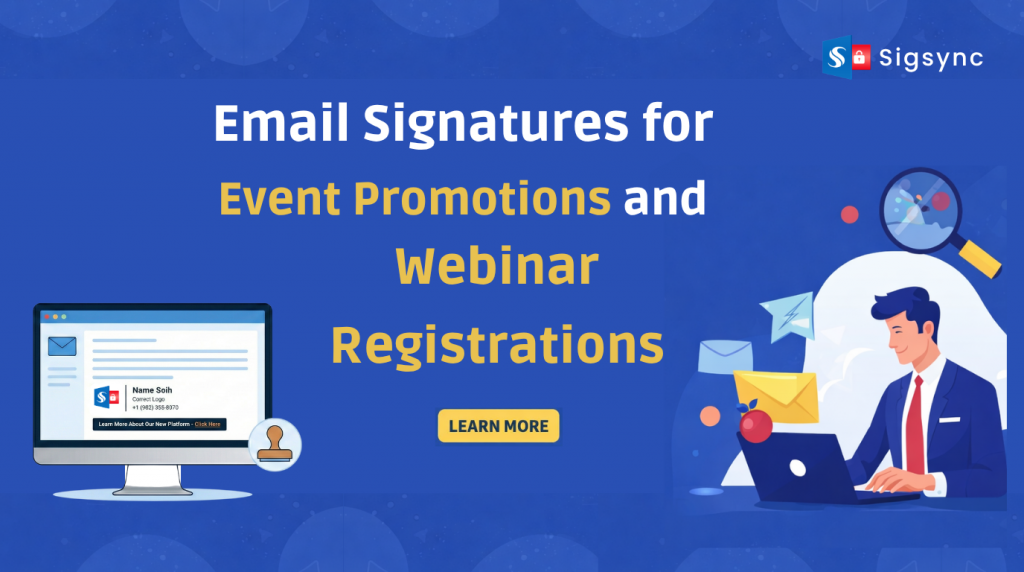
Across any organization, employees send dozens of emails each day, generating hundreds or even thousands of brand impressions without additional effort. When used strategically, email signatures can serve as a consistent and subtle channel for increasing event visibility and driving webinar registrations.
Managing and scaling email signature campaigns manually can be time-consuming and difficult to control. With Sigsync Office 365 Email Signature Software, organizations can schedule signatures for specific campaigns or events, ensuring the right signature is automatically applied during the defined time period.
This centralized approach allows businesses to run targeted promotions, announcements, or seasonal campaigns without manual intervention. By automating signature scheduling and banner updates, Sigsync helps transform everyday email communication into a consistent and effective marketing channel.
Let’s explore how email signatures can be used effectively to promote events and boost webinar registrations.
Why Email Signatures Work for Event Promotions
Email signatures provide a consistent and non-intrusive way to promote events within everyday business communication. Unlike traditional campaigns, this approach reaches recipients who are already engaged through ongoing conversations.
Here’s why email signatures are effective:
- Automatically included in every email sent
- Reach a relevant and engaged audience
- Integrate naturally into business communication
- Provide repeated visibility without additional effort
Instead of relying solely on standalone campaigns, email signatures enable continuous event promotion through routine email interactions.
What to Include in an Event Promotion Signature
A good promotional signature is simple and clear. Avoid clutter.
Key elements:
- Event or webinar title
- Short value-driven message
- Date and time
- Strong call-to-action (CTA)
- Clickable banner or button
Example CTA lines:
- “Register for our upcoming webinar”
- “Save your seat now”
- “Join our live event”
The goal is to make it easy to notice and even easier to click.
Use Banners to Drive More Registrations
Text alone isn’t enough. Visual banners increase attention and clicks.
A well-designed banner should:
- Highlight the event clearly
- Use brand colors
- Include a CTA button
- Be mobile-friendly
Keep it clean. Too much information reduces clicks.
Target the Right Audience with Smart Signature Rules
Not every email needs the same promotion.
For example:
- Sales team → Promote product demos or webinars
- HR team → Promote hiring events
- Support team → Promote customer training sessions
This is where most businesses struggle. Manually assigning signatures to users is time-consuming and inconsistent.
With Sigsync, you can automatically assign email signatures based on departments, roles, or groups from a centralized dashboard. This makes it easy to deliver the right event promotion to the right audience without manual effort.
You can create targeted signature rules, update campaigns instantly, and ensure every team uses the correct banner and message. This not only saves time but also improves consistency and increases the chances of getting more webinar registrations.
Schedule Campaigns Without IT Dependency
Event promotions are time-sensitive. You need signatures to appear and disappear at the right time.
Without automation, this becomes a headache for IT teams.
With Sigsync, marketing teams get complete control over email signature campaigns without depending on IT for every change.
You can:
- Schedule signature campaigns in advance so your event promotions go live exactly when needed, whether it’s days or weeks ahead.
- Automatically remove banners after the event ends, ensuring outdated promotions are never shown.
- Run multiple campaigns simultaneously across different teams, departments, or regions.
- Update signatures instantly across all users without requiring individual setup or manual intervention.
- Manage everything from a centralized dashboard, making campaign control simple and efficient.
This level of automation not only saves time but also ensures your event promotions are always accurate, timely, and consistent across the organization.
As a result, marketing teams can launch, manage, and optimize campaigns independently, while IT teams can focus on more critical tasks instead of routine signature updates.
Track Performance and Improve Results
If you’re promoting events, you need to know what’s working.
Track metrics like:
- Click-through rates
- Registrations from signature links
- Engagement across teams
By analyzing performance, you can:
- Improve banner design
- Test different CTAs
- Optimize campaign timing
Over time, this turns your email signature into a measurable marketing channel.
Ensure Consistency Across All Devices
One of the biggest issues with email signatures is inconsistency.
Signatures may look different on:
- Outlook
- Gmail
- Mobile devices
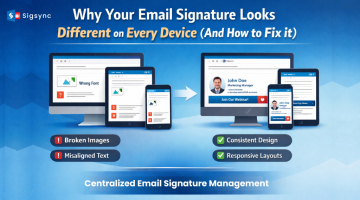
Broken layouts or missing banners can hurt your campaign. A centralized solution like Sigsync ensures that every email signature is consistent across all devices and email clients, so your event promotions always look professional.
Best Practices for Higher Webinar Registrations
Keep these tips in mind:
- Use clear and action-driven CTAs
- Avoid overcrowding your signature
- Keep banners visually appealing but simple
- Update campaigns regularly
- Target the right audience segments
Small improvements can significantly increase clicks and registrations.
Conclusion
Event promotion doesn’t always need a big budget or complex campaigns.
Sometimes, the most effective channel is already in front of you.
By using email signatures strategically, you can turn everyday communication into a steady source of webinar registrations and event signups.
And with tools like Sigsync, you can automate, manage, and scale your campaigns effortlessly.