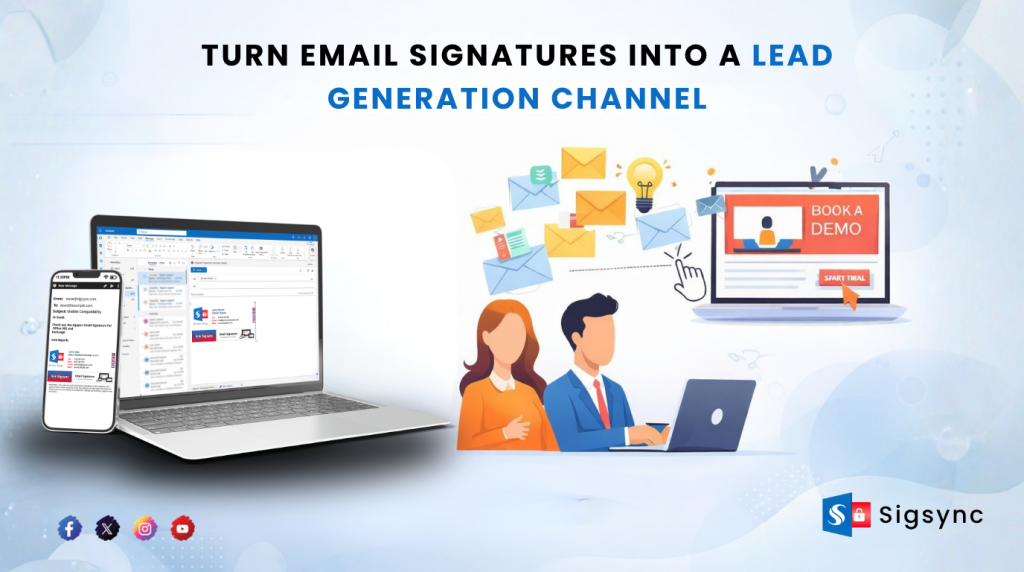
Most businesses invest heavily in advertising, email campaigns, and social media to generate leads. However, one highly effective channel often remains underutilized.
Your everyday email.
Across your organization, employees send numerous emails every day. Each of these interactions presents an opportunity to promote your product, showcase current offers, and encourage engagement without requiring additional effort.
With a centralized email signature management solution like Sigsync, every outgoing email becomes a consistent and professional brand touchpoint. It helps you showcase your products effortlessly, grab attention, and turn everyday communication into a steady source of leads.
Why Email Signatures Are an Untapped Lead Source
Think about it. Your team is already communicating with prospects, customers, and partners every single day. These are warm interactions, not cold outreach.
An email signature placed at the end of every message becomes:
- A consistent brand touchpoint
- A subtle promotional space
- A direct conversion opportunity
Unlike ads, this doesn’t cost anything extra. You’re simply optimizing something you already use.
What Makes a Signature ‘Lead-Generating’
Not all signatures drive results. A plain text block with a name and phone number won’t do much.
To turn it into a lead generation tool, your signature should include:
1. Clear Branding
Your logo, colors, and layout should reflect your brand identity consistently across all employees.
2. Strong Call-to-Action (CTA)
Instead of just contact details, include actions like:
- “Book a Demo”
- “Start Free Trial”
- “Download Guide”
3. Clickable Banner
A well-designed banner can promote:
- New product launches
- Offers or discounts
- Events or webinars
4. Social Proof
Add trust signals such as:
- Certifications
- Awards
- Customer logos
The Problem with Manual Email Signatures
Here’s where most businesses struggle.
When employees manage their own signatures:
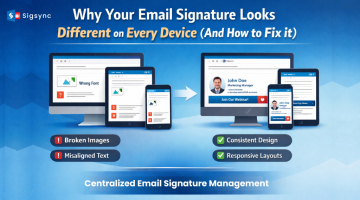
- Branding becomes inconsistent
- CTAs are missing or outdated
- Campaigns can’t be updated quickly
- Some users don’t use signatures at all
This completely breaks the idea of using email signatures as a scalable marketing channel.
How to Centralize and Scale Your Signature Strategy
To truly generate leads, you need control and consistency across the organization.
That’s where a centralized solution like Sigsync comes into play.
Instead of relying on individuals, you can:
- Automatically apply signatures to all users
- Run marketing campaigns through signature banners
- Update designs instantly across the company
- Ensure compliance and brand consistency
This turns every employee email into a controlled, measurable marketing asset.
Real Use Cases That Drive Leads
Here’s how businesses are actually using signatures to generate results:
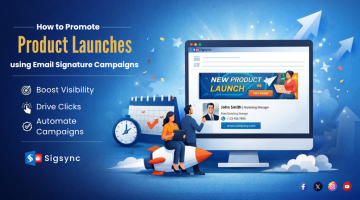
Product Promotions: Add banners with “Try Now” or “See Features” links.
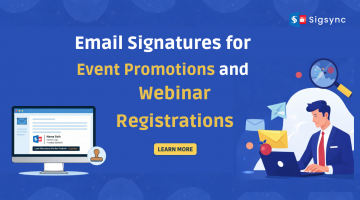
Webinar Registrations: Promote upcoming events with a direct signup CTA.
Content Marketing: Drive traffic to blogs, case studies, or whitepapers.
Sales Enablement: Sales teams can promote demos directly within conversations.
Key Features of Sigsync Office 365 Email Signature Software
Sigsync Office 365 Email Signature Software provides a centralized and fully automated way to manage and control email signatures across an organization. It ensures consistency, branding, and compliance while removing manual dependency from end users. Below are the key capabilities that make signature management simple and scalable.
✔ Centralized Email Signature Management
Manage all email signatures from a single web-based dashboard. Administrators can create, update, and control signatures for the entire organization without requiring users to manually configure anything.
✔ Company-Wide Signature Deployment
Ensure consistent branding across all employees by deploying signatures organization-wide. Any update made centrally is automatically reflected for all users in real time.
✔ Works on All Devices & Email Clients
Sigsync ensures uniform signature delivery across Outlook, Outlook Web App (OWA), mobile devices, Mac systems, and other email clients. This guarantees consistent branding regardless of how or where emails are sent.
✔ Automatic Signature Insertion
Signatures are automatically inserted during email composition or delivery, eliminating the need for manual copying or configuration by users.
✔ Advanced Signature Rules & Targeting
Define intelligent rules to control signature behavior based on sender, recipient, department, domain, or keywords. This allows highly customized and scenario-based signature deployment.
✔ Dynamic Signatures with Azure AD Integration
Automatically populate user details such as name, job title, department, phone number, and more using Azure Active Directory (Azure AD), ensuring accurate and up-to-date information in every signature.
✔ Professional Signature Templates & Editor
Choose from ready-made templates or design custom signatures using the built-in Sigsync Signature editor. No coding skills are required to create professional-looking email signatures.
✔ Marketing Campaigns via Email Signatures
Transform everyday emails into marketing opportunities by adding banners, promotional content, and campaign messages directly within email signatures.
✔ Banner Management & Scheduling
Schedule banners for specific time periods to run promotional campaigns, announcements, or event-based messaging, ensuring timely and relevant communication.
✔ Analytics & One-Click Surveys
Track engagement and collect customer feedback directly through email signatures using integrated analytics and surveys.
✔ Signature Preview & Testing
Preview signatures in real time before deployment to ensure correct formatting and layout across all devices and email clients.
✔ Signatures for Replies & Forwards
Apply different signatures for new emails, replies, and forwards to maintain context and professionalism.
✔ Remove Default Mobile Signatures
Automatically replace default mobile signatures such as ‘Sent from my iPhone’ with branded, professional email signatures.
✔ Support for Shared Mailboxes & Aliases
Manage signatures for shared mailboxes and multiple email aliases easily, ensuring consistent branding across all communication channels.
✔ Compliance & Legal Disclaimers
Add mandatory disclaimers automatically to every email to meet legal, corporate, and regulatory requirements without manual intervention.
✔ Multiple Deployment Modes
Choose between centralized mode (combo mode), server-mode, client-mode, and deployment based on your needs.
✔ vCard QR Code Integration
Enhance signatures with QR codes that allow recipients to instantly save contact details on mobile devices, improving networking efficiency.
✔ Delegate Management
Allow different teams (like marketing or IT) to manage signatures without giving full admin access.
✔ Email Signature in Sent Items
Ensure signatures are visible in sent emails for compliance, auditing, and record-keeping purposes.
✔ Enterprise-Grade Security
Built with enterprise-level security standards and compliance certifications including GDPR, ISO, SOC 2 Type 2, and HIPAA, ensuring safe and reliable usage across organizations.
Conclusion
Most companies overlook email signatures because they seem small. But when scaled across an entire organization, they become incredibly powerful.
You’re already sending emails.
You already have attention.
Now it’s about using that attention wisely.
By turning your email signatures into a structured, centrally managed system with Sigsync, you can unlock a consistent and completely underused source of leads without increasing your marketing spend.